I came across this youtube video https://www.youtube.com/watch?v=5CgQUbnf1Qk&t=12 s which I thought would be a good start in order to try to understand how to make a simple app.
While following this video, the first problem I had was that my textview and buttons were overlapping. In the comment section there was a solution which was to change the code in activity_main.axml from RelativeLayout to LinearLayout. (This was shown further into the video with an explanation, I also had to add in a line of code (android:orientation=”vertical”)) I later on figured out there was another line I had to change which was at the very end. (Closing out the LinearLayout)
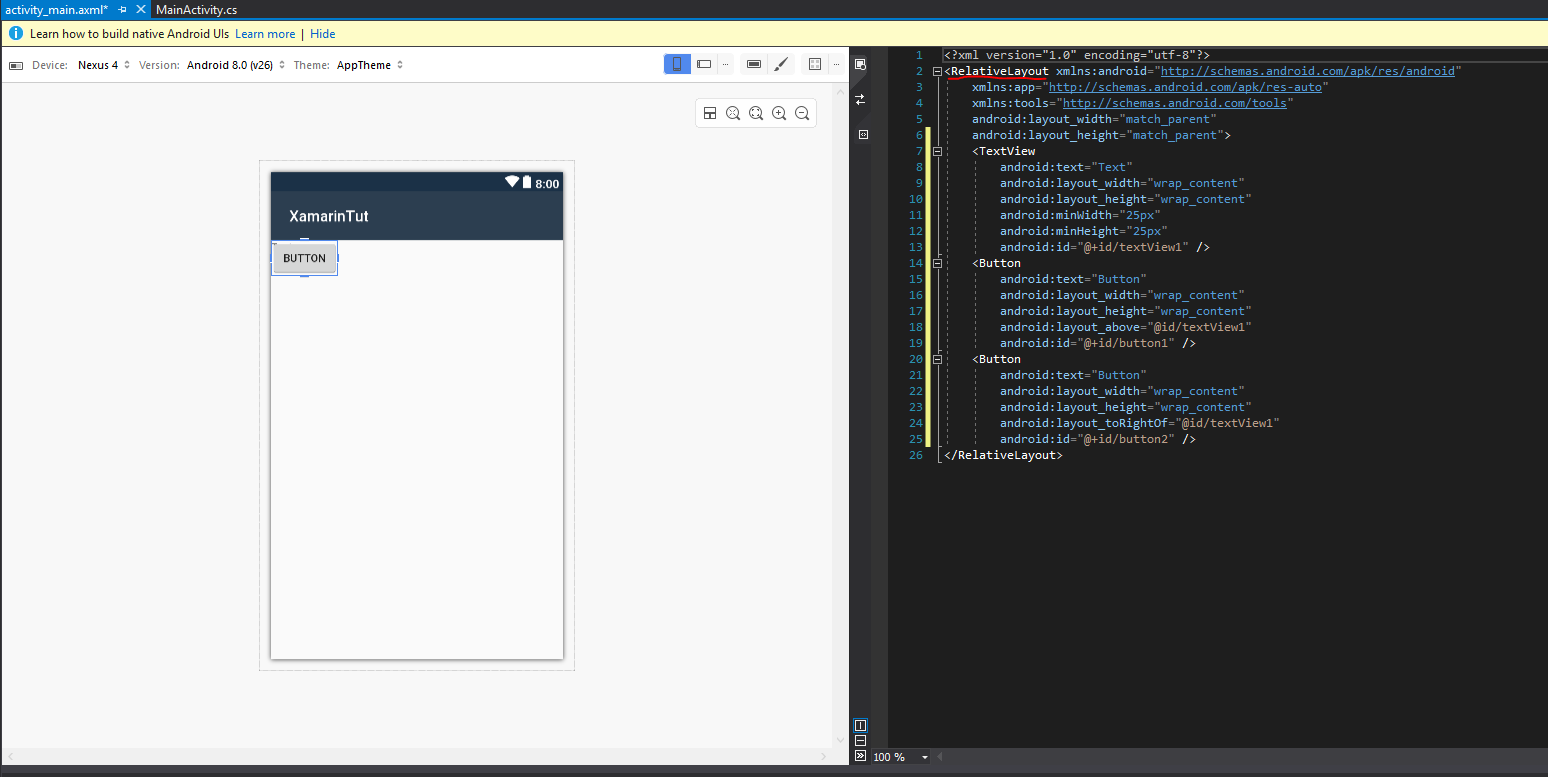
From this video, I also learnt that match_parent tries to match the parents width/height, whereas wrap_context makes the view very compact.
After following the video and attempting to run my program, all I would get is a black screen with nothing happening

However, in the output section there is a warning claiming the “emulation may not work without hardware acceleration!” After doing some googling I came across this website https://docs.microsoft.com/en-us/xamarin/android/get-started/installation/android-emulator/hardware-acceleration?tabs=vswin&pivots=windows#hyper-v which requires me to do numerous things. I first installed Intel HAXM and then went on to enable “Virtualization technology” in bios.

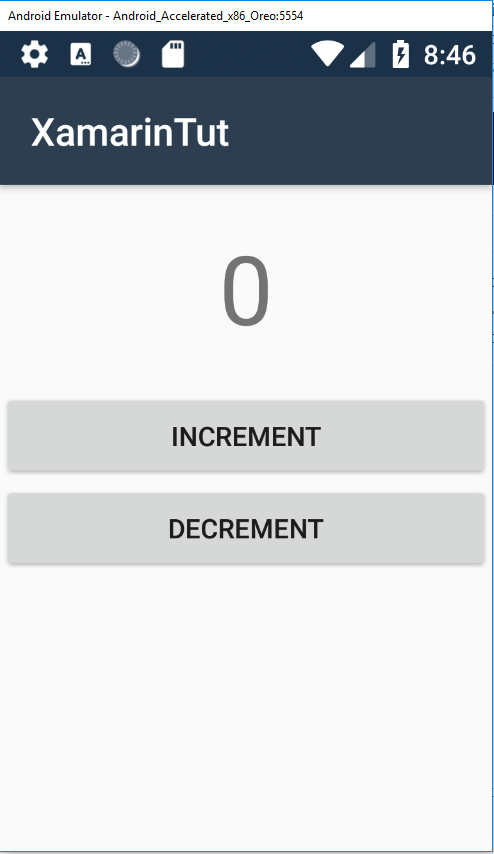
After successfully enabling the option in the bios I reattempted to launch my program and the program actually launched!! It properly increments and decrements.
Next time I will be linking the code to my phone in order to attempt to take photos.
 Jordan Kim